Home / Blog / Buying Sheet Metal Parts Online
How to Buy Custom Sheet Metal Parts Online
Updated
Oct 31, 2026
First published
Feb 1, 2024
Reading time
10 min
To buy custom sheet metal parts online, start by uploading your 3D model. Then choose the part’s material (and its thickness), any finish to apply, and the quantity you need produced.
On an automated quoting platform, you will then get an automatic manufacturability test for your design along with an estimated price for the order.
If the quote is acceptable, you can then submit the order, pay for it, and arrange freight for the finished product.
On Komacut, getting the quote takes about 30 seconds (after you submit the information). A single order can cover laser cutting, bending, threading, finishing, and engraving.
The ordering itself is quick. If there are delays, it’s usually because of an issue with the steps around the order. It could be a file format the system can’t read, a design that can’t be manufactured as-is because a hole was placed too close to a bend, a finish that isn’t compatible with the part or its material, or freight that was unplanned.
To help you avoid these delays, this guide goes over each step in the ordering process and everything you should double check before paying.
Key takeaways
Instant quote platforms can provide pricing for sheet metal parts in under a minute.
The first step is to upload a 3D model for your part and select the material, finish, and quantity.
Quoting platforms like Komacut need to unfold the 3D model and read its features, so they won’t give an instant quote from a 2D drawing.
Many manufacturers will allow you to add secondary processes to a laser-cut part you order online, like threading, engraving, or surface finishing.
When comparing quotes from multiple suppliers, calculate the entire landed cost of the product, not just the per-unit price.
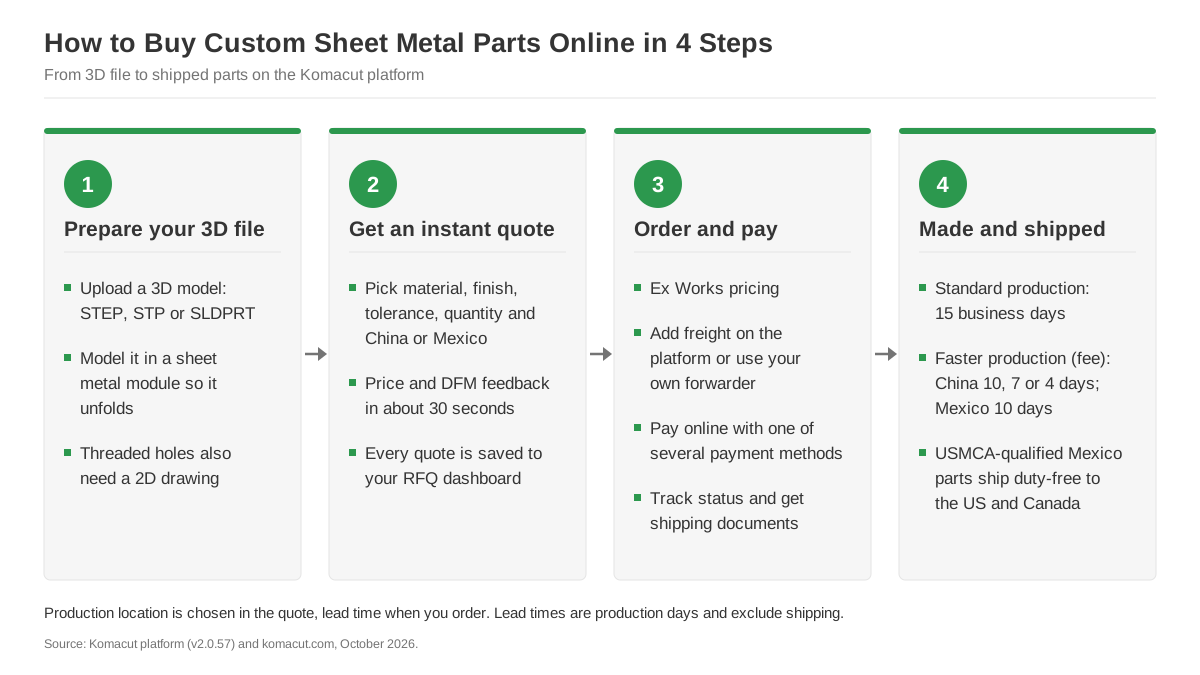
The four steps from 3D file to shipped parts, with the file, quote, payment and lead-time details for each.
What Kind of Parts Can You Order Online?
It depends on the manufacturer. Instant-quote platforms can only give you a price for parts the company behind them can actually produce.
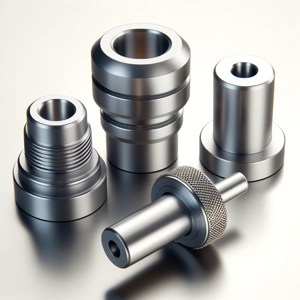
On Komacut, this includes flat and bent sheet metal parts plus the secondary operations listed in the table below. You can also add CNC turned parts and standard hardware (nuts, bolts, washers) to your order.
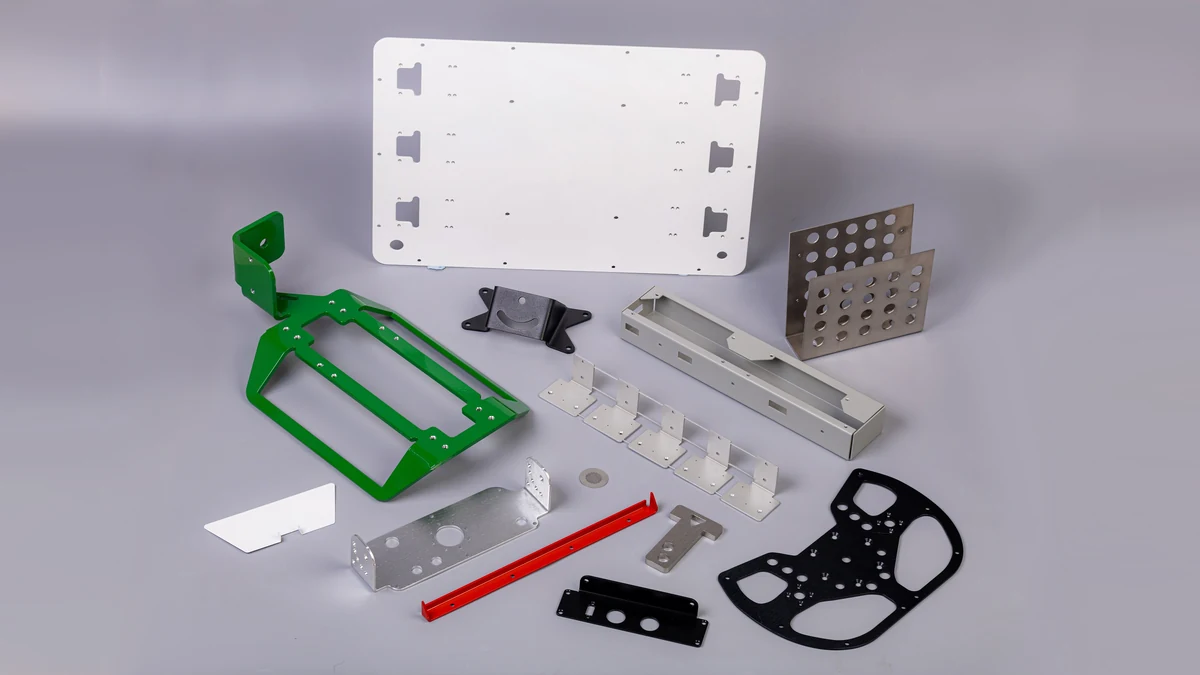
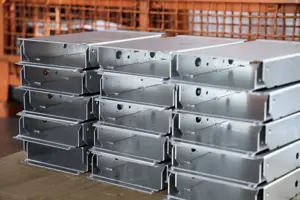
Flat, bent, perforated and powder-coated parts can all be quoted and ordered online from a 3D model.
| Process | Published limits (specific to Komacut) |
|---|---|
| Laser Cutting | Sheet up to 20 mm thick. Linear tolerance ±0.45 mm standard, ±0.20 mm high precision. |
| CNC Bending | Air bending. Angle ±1.0° standard, ±0.5° high precision. Up to 2,400 mm long and 10 mm thick. |
| Threading, Chamfering, Countersinking | Chamfers and countersinks are detected from the 3D model; threaded holes also need a 2D drawing. Parts up to 400 × 400 mm unfolded, 1.6 to 20 mm thick. |
| Surface Finishing | Powder coating (14 colors), e-coating, zinc plating, anodizing, passivation, brushed, antirust oil. |
| Laser Engraving | Logos up to 150 × 150 mm (artwork supplied as SVG). |
For the full tables, go to our Process Tolerances page. For more details on finishes and when to use each, see Types of Metal Surface Finishes.
Every quote you get is saved to your RFQ dashboard so you can easily retrieve it, download it, forward it to a colleague, or place an order at a later time.
If your part needs to be reviewed by our engineering team, it goes through our request for quote (RFQ) process rather than an instant quote. Saved quotes expire after about 30 days.
Step 1: Prepare Your CAD File
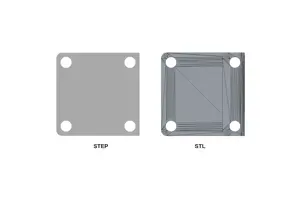
Komacut can quote designs from 3D models submitted in STEP, STP, or SLDPRT format (SolidWorks files up to 2024). We can’t provide instant quotes on 2D DXF drawings because the system can only read thickness, bends, holes, and threads on 3D geometry. If your part has threaded holes, you’ll also need to upload a 2D drawing that specifies them.
If you’re not sure how to export your file so it’s suitable for an instant quote, see What Is a STEP File?
Before uploading your file, go over the following:
Make sure your part is modeled using your CAD program’s sheet metal module. Otherwise, it may be drawn as a solid block that the quoting platform can’t unfold into a flat pattern. So you’ll either get an error message or a quote that comes back wrong.
Check all features that are placed near bends. Slots and holes that are too close to a bend risk distorting when the part is formed. If you’re not sure how to space them, consult our laser-cut parts design guide.
Use the right sheet standard. Our facility in China stocks metric sheet (corresponding to GB and JIS grades), while our Mexico facility stocks imperial gauges (corresponding to ASTM grades). For a breakdown of grades, check out our materials page.
Run a check before submitting. Our free Sheet Metal DFM Check will catch common design problems.
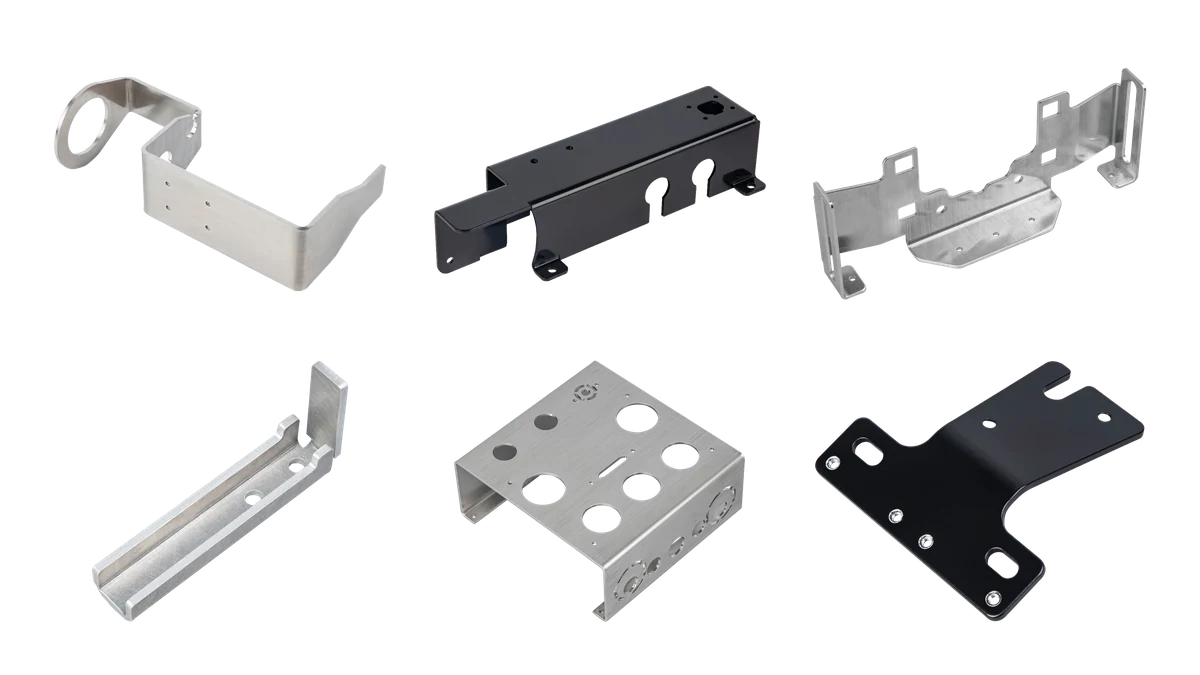
Every bend, hole and cut-out on parts like these is read from the 3D model, so the file has to unfold cleanly.
If you don’t have a 3D model for your part (or your model won’t unfold), Komacut’s 3D CAD drafting service will convert your design to a quotable sheet metal part, with bends and flat pattern. It costs $15 per drawing and requires a turnaround of 5 business days.
Step 2: Get an Instant Quote
Upload your 3D model in a suitable file format (STEP and STP are the most widely accepted). Then select your part’s material, thickness, finish, and tolerance class, along with the quantity you want to order.
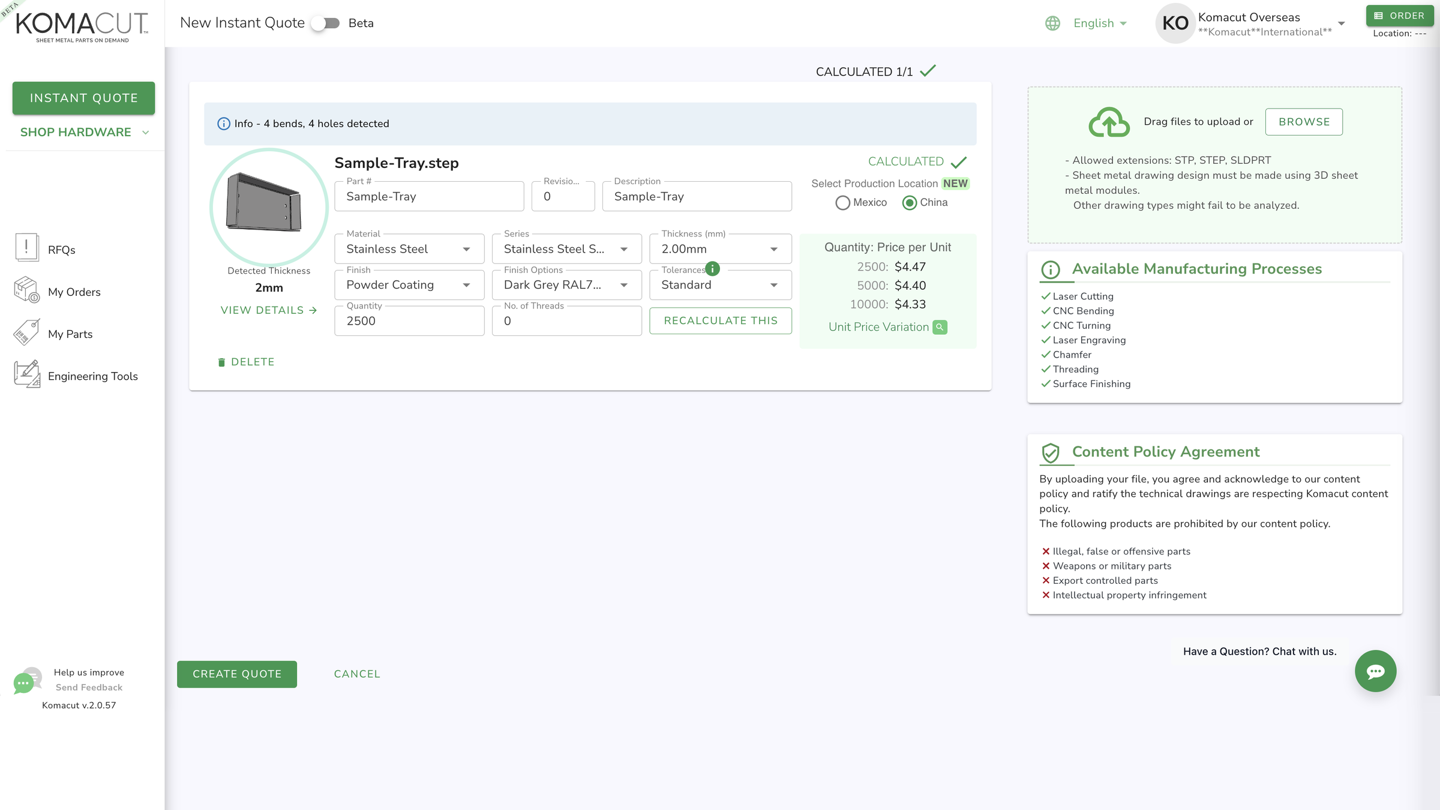
Instant quote for a 4-bend SUS304 tray in dark grey powder coat: $4.47 each at 2,500 pieces, made in China.
The platform will then show you a 3D and flat view of your part, its weight, how many units can fit on a sheet, and any design errors that were flagged.
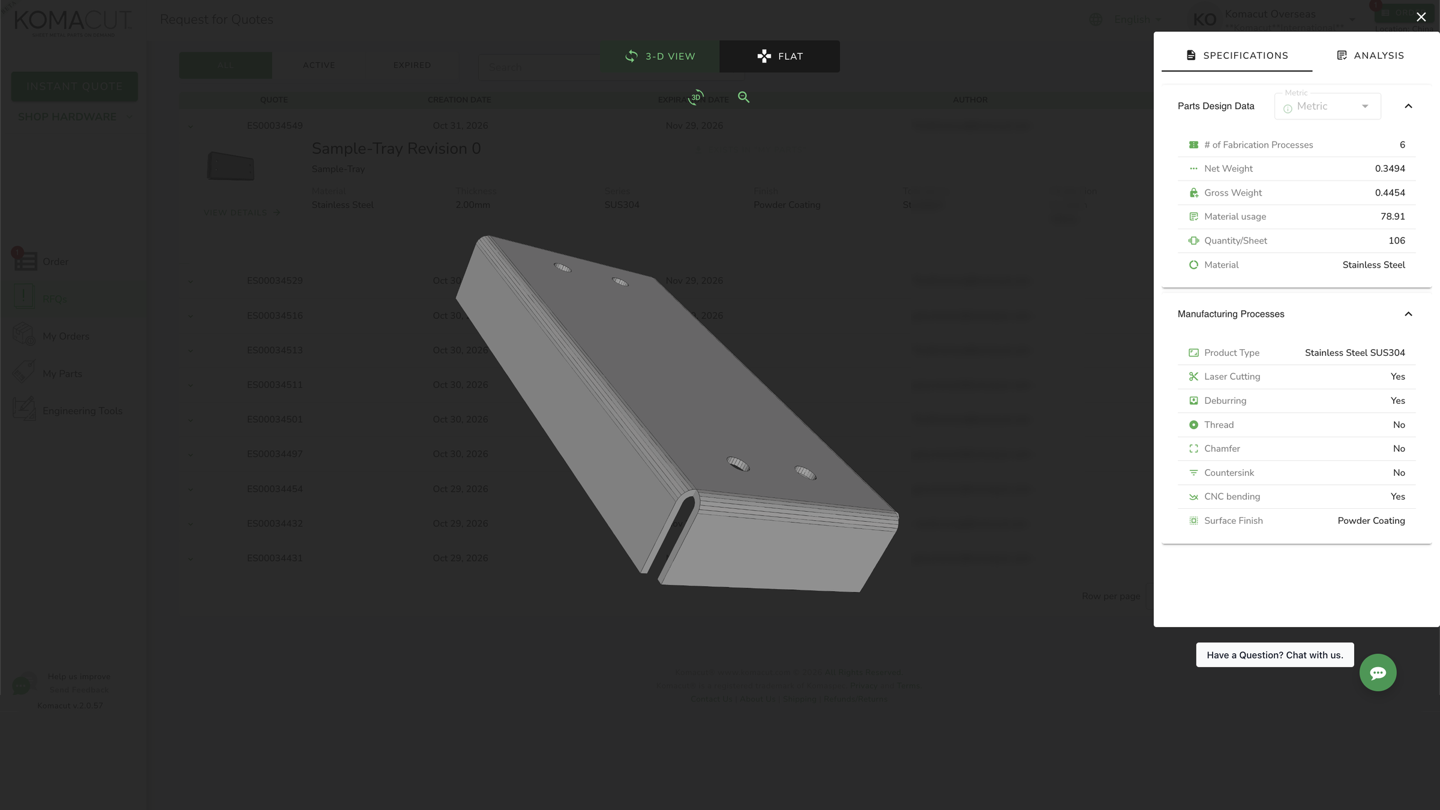
The 3D view lists net weight, parts per sheet and every process the platform detected, from laser cutting to bending.
You can play around with these inputs and see how the price changes when you update them.
What Affects the Price of Your Part
The biggest variable is quantity. High volume orders will have a much cheaper price per part.
Using prices quoted in September 2026, a single flat 2.0 mm cold-rolled steel plate comes up to $27.98. Up the quantity to 100 plates and the price drops all the way down to $5.33 per piece. At 1,000 units, it goes down to $4.69 each.
An order of 25 parts made from 2.0 mm 304 stainless steel with a powder coat finish returned a quote of $10.44 per piece. At 2,500 units, the price went down to $6.03 per piece.
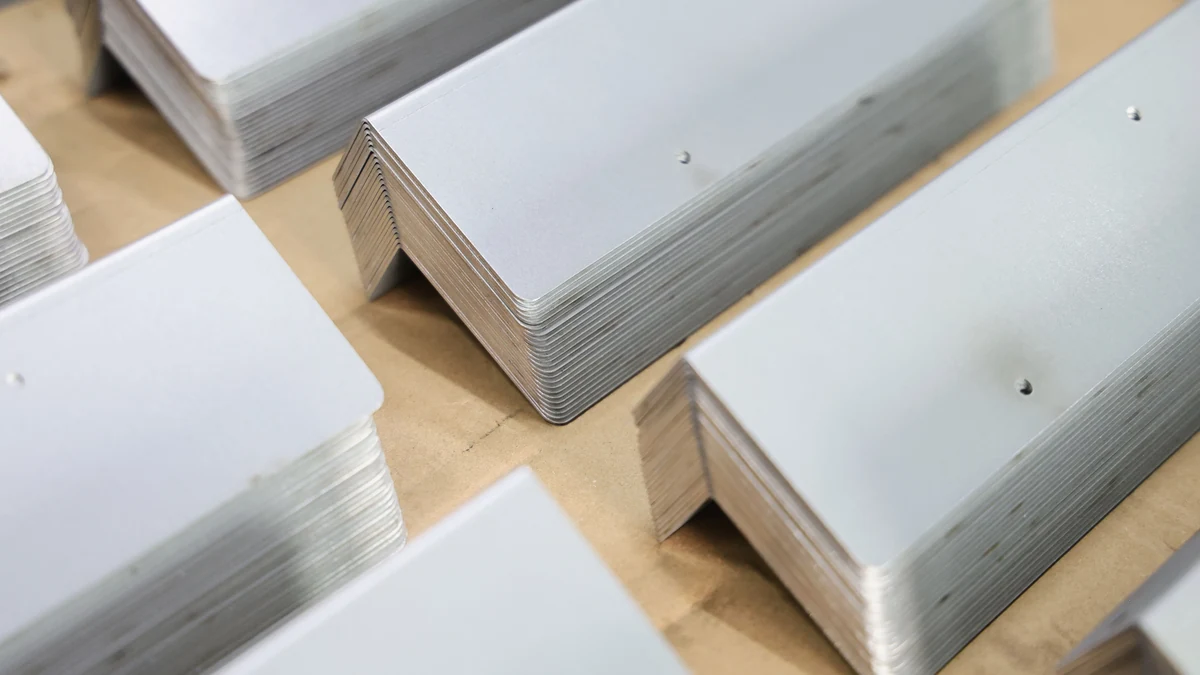
At production volumes, setup cost is spread across thousands of identical parts, which pulls the unit price down.
That’s the main driving factor. But the type of material, how thick it is, surface finishes, and tolerance class all have an influence on the price. High precision tolerances are more expensive, so default to standard unless there’s a good reason not to.
Another tip: get quotes for three or four different quantities before ordering. That way, you might find that it’s more cost-effective to batch orders instead of placing multiple small orders. If you’ll eventually need spares or test-fit parts, adding them to the first order is usually cheaper.
Use our weight calculator and nesting calculator to estimate part weight and how many parts fit on a sheet before you quote. And check out the sheet metal fabrication cost guide for a more detailed breakdown of the different cost factors.
Step 3: Place the Order and Pay
When you get a suitable quote, place your order.
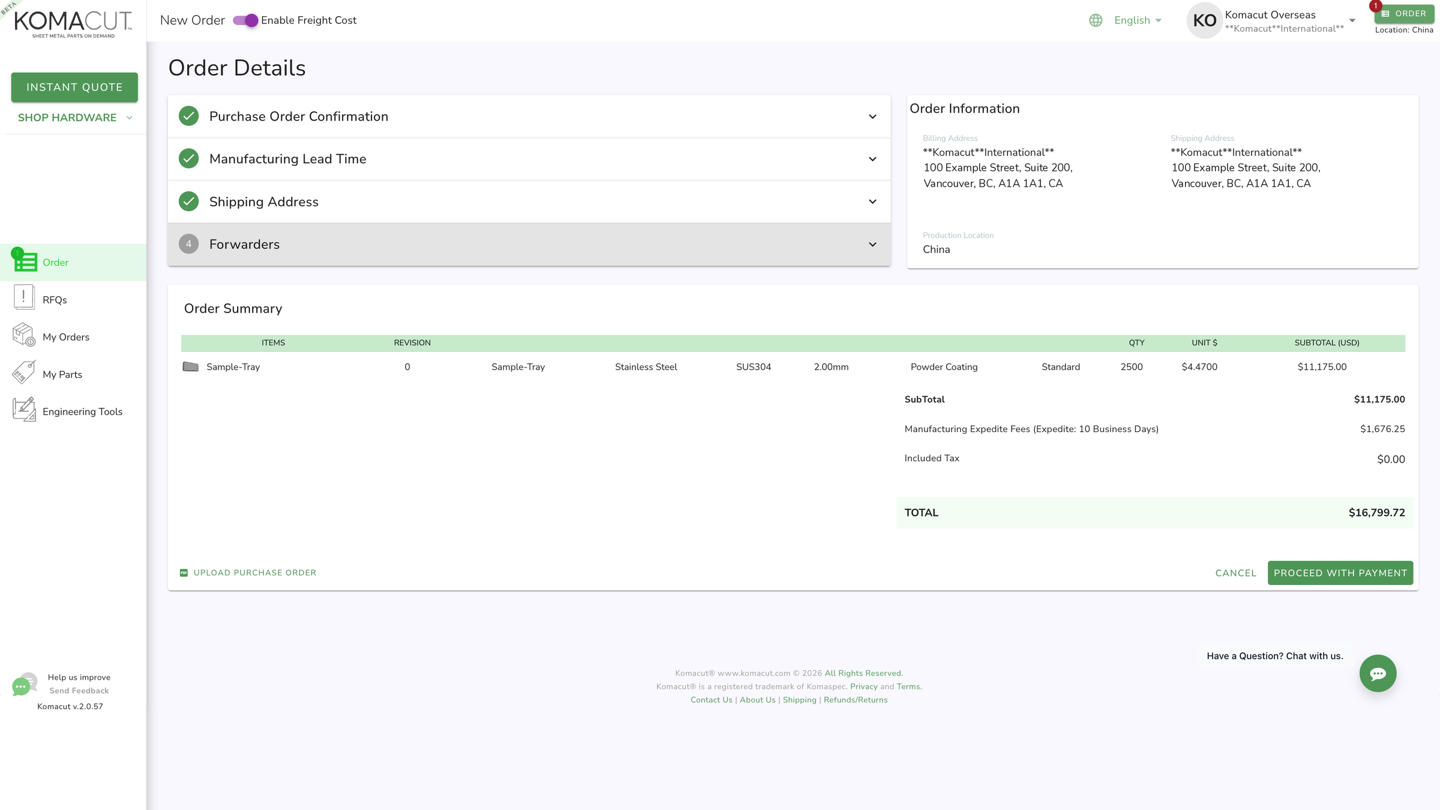
The order page shows the Ex Works subtotal, the optional freight toggle and any expedite fee before you pay.
At this point, your options vary depending on the platform. But here’s what you can expect when using Komacut:
Pricing is Ex Works, and you can either add freight right on the platform or enter your own forwarder or express account. To make repeat orders easier, you can save several forwarders and delivery addresses.
You can pay online using one of the several methods available. You’ll get a notification when your payment is processed.
Find your production status and tracking on the Orders dashboard. That’s also where you can download your shipping documents.
Save the part to My Parts to save time on reorders. Saved parts can be added to new orders or RFQs without having to get them quoted each time.
If you’re ordering a prototype, check out our post on how sheet metal prototyping works to see what changes when you move from a prototype run to production volumes.
Step 4: Choose Where Your Part Ships From
Komacut manufactures parts in Guangzhou, China and Ciudad Juárez, Mexico. You can choose the production location when requesting a quote. If you’re based in the US or Canada, the location will affect transit time and duties.
| Detail | China (Guangzhou) | Mexico (Juárez) |
|---|---|---|
| Material Standards | Metric sheet, GB / JIS grades | Imperial gauges, ASTM grades |
| Production Lead Time | 15 business days standard; faster production options of 10, 7 or 4 business days | 15 business days standard; faster production option of 10 business days |
| Shipping to US / Canada | Sea, air, or express through a forwarder | Options from next-day FedEx Priority (US) to 7–10 day LTL (Canada) |
| Duty into US / Canada | Varies based on product and origin (check with your customs broker) | USMCA-qualified parts ship duty-free |
If the parts are being shipped to a US or Canadian site, calculate the full landed cost (including freight and duty) for both production locations so you can compare the total cost, not just the price per unit.
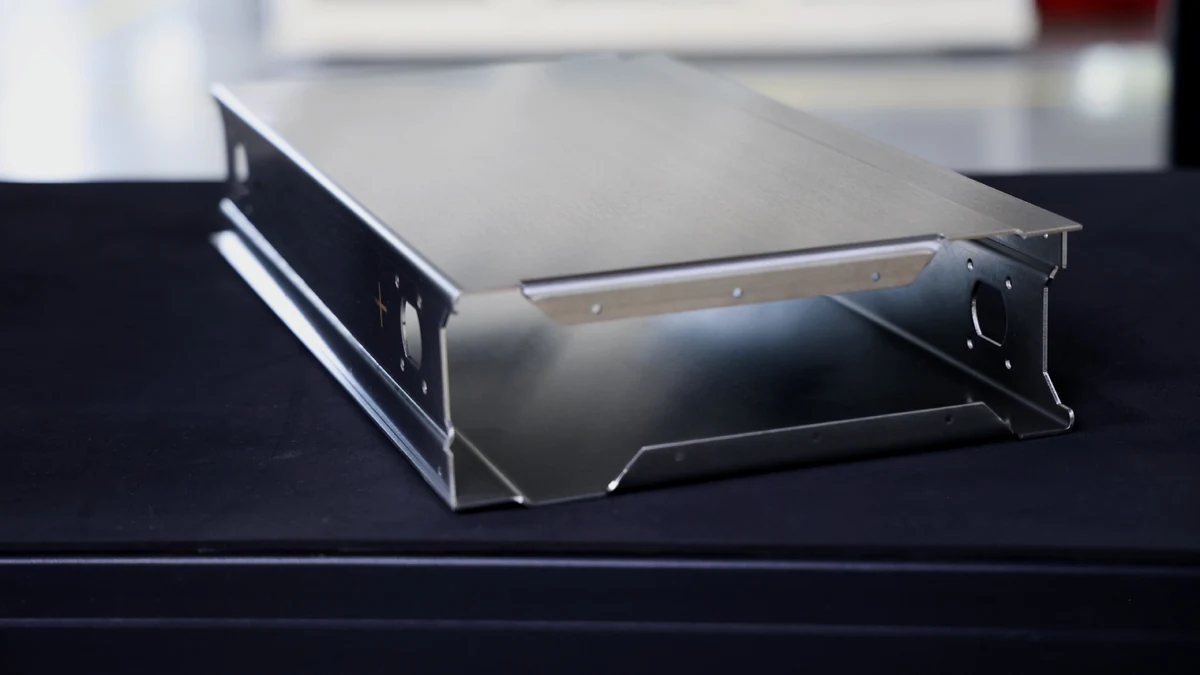
Finished parts ship from either Guangzhou or Juárez, so compare landed cost, not just the unit price.
For overseas shipments, the shipping from China guide will explain Incoterms and forwarders, and our packaging calculator will help you estimate carton count and weight.
How to Compare Online Sheet Metal Suppliers
Start by getting quotes from at least two or three suppliers. But look beyond the price and ask the following questions to get the full picture:
| Question | Why it matters |
|---|---|
| Do you own the factory, or route jobs to a network of shops? | When a manufacturer owns the factory, the DFM feedback and any quality issue come from the shop that makes your part. With a network, your reorder may go to a different shop. |
| Can cutting, bending, hardware, and finishing all go on the same order? | Every time your part is handed off to a different shop adds transit time and another risk that your parts get damaged or mixed up. |
| Which file formats do you quote from? | If you work in DXF only, check before you build a quoting workflow around a platform. |
| Are tolerances published per process? | Published numbers (not vague claims like “tight tolerances”) let you check a fit before ordering. |
| Is there a minimum order, and can I see the price breaks? | You should be able to compare the unit price at 1, 100, and 1,000 pieces before you commit. |
| Where is the part made, and what is the landed cost? | Duty and freight can outweigh a lower unit price. |
| Do I need certifications or inspection documents? | If you need ISO 9001, PPAP, material certificates, or first article inspection, ask about these before getting a quote. |
For a list of North American suppliers (including what each one does), consult our page of the Top 21 North American Sheet Metal Suppliers. If you’re getting turned parts too, see our guide to buying CNC turned parts online.
Frequently Asked Questions
Is there a minimum order quantity for custom sheet metal parts?
No, not on Komacut. You can place an order for a single prototype unit or a full production run with thousands of pieces. Either way, the order follows the same instant quote process. While you can order just a single unit, the per-piece price goes down at higher quantities, so compare different volumes to see which is the most cost-effective.
What file format do I need to order sheet metal parts online?
STEP and STP files are the most common, but Komacut can also quote from SLDPRT files. 2D DXF files don’t work for instant quotes because the system won’t be able to unfold the design and read the part’s thickness, bends, holes, and threads. To make sure your design unfolds correctly, model it using your CAD software’s sheet metal tools. If the part has threaded holes, add a 2D drawing that specifies them.
How fast can I get a quote?
With Komacut, you only wait about 30 seconds after uploading your design. The quote you get includes price, part weight, parts per sheet, and automated DFM feedback. If your part needs to be reviewed by an engineer, it goes through our request for quote process instead. Saved quotes expire after about 30 days.
How long does production take?
It depends on the manufacturer. On Komacut, standard production takes 15 business days in both China and Mexico. When you place the order, you can choose faster production for a fee: 10, 7 or 4 business days in China, or 10 business days in Mexico. Shipping adds to the overall timeline and varies depending on the method you choose.
What tolerances can I expect on online sheet metal parts?
On linear dimensions, our laser cutting tolerances are ±0.45 mm for standard and ±0.20 mm for high precision. On bent angles, it’s ±1.0° standard and ±0.5° high precision. High precision is more expensive, so only specify it when it’s genuinely needed.
How do I pay for an online sheet metal order?
Komacut offers several payment methods, and you pay online when you place the order. Prices from Komacut are Ex Works, so freight is either added on the platform or arranged through your forwarder or express account. Your Orders dashboard also provides you with your order status and tracking.
Can I order if I don't have a 3D model?
Yes, but your design needs to be converted to a 3D model first. Komacut makes this easy by offering a 3D CAD drafting service which will take your sketches or 2D drawings and convert them to sheet metal models (with bends and a flat pattern that unfolds so it can be quoted properly). This service takes 5 working days and charges a flat fee of $15 per drawing. Once you get the 3D model back, it’s ready to be uploaded for an instant quote and DFM check.
Instant quote
Have a sheet metal part to quote?
Upload a STEP, STP or SLDPRT file and see the price in about 30 seconds.
Upload a part →Free account · No MOQ
Ready to make the part?
Upload your STEP file to the Komacut platform to get pricing for every quantity, DFM feedback, and compare both production locations. Our How It Works page gives you a full platform walkthrough.
Related articles